This notebook shows how to access any dataset available through the Climate Data Store (CDS) using earthkit. Unlike the ERA5-Land guide, which used dhis2eo convenience functionality, this approach provides direct access to the full CDS catalog and greater flexibility in dataset selection and processing. The full list of available datasets can be found on the CDS datasets page.
For this particular excercise, we will download the hourly ERA5-Land dataset, the same as we used in the ERA5-Land guide.
Important: Make sure you have followed these instructions to authenticate and allow API access the CDS portal.
Downloading CDS data using earthkit
The earthkit.data package includes a way to programmatically retreive any dataset from the CDS API. Let’s start by importing the libraries we need:
import earthkit.data
import geopandas as gpd
To download CDS data using earthkit we first need to important pieces of information:
The name of the dataset
And the dataset parameters
Get the dataset name and request parameters
To obtain the correct parameters to use with earthkit, you have to visit the CDS Dataset page for the dataset you want to download, in this case the page for the hourly ERA-Land dataset.
On the “Download” tab, fill out some example values for what you want to download:
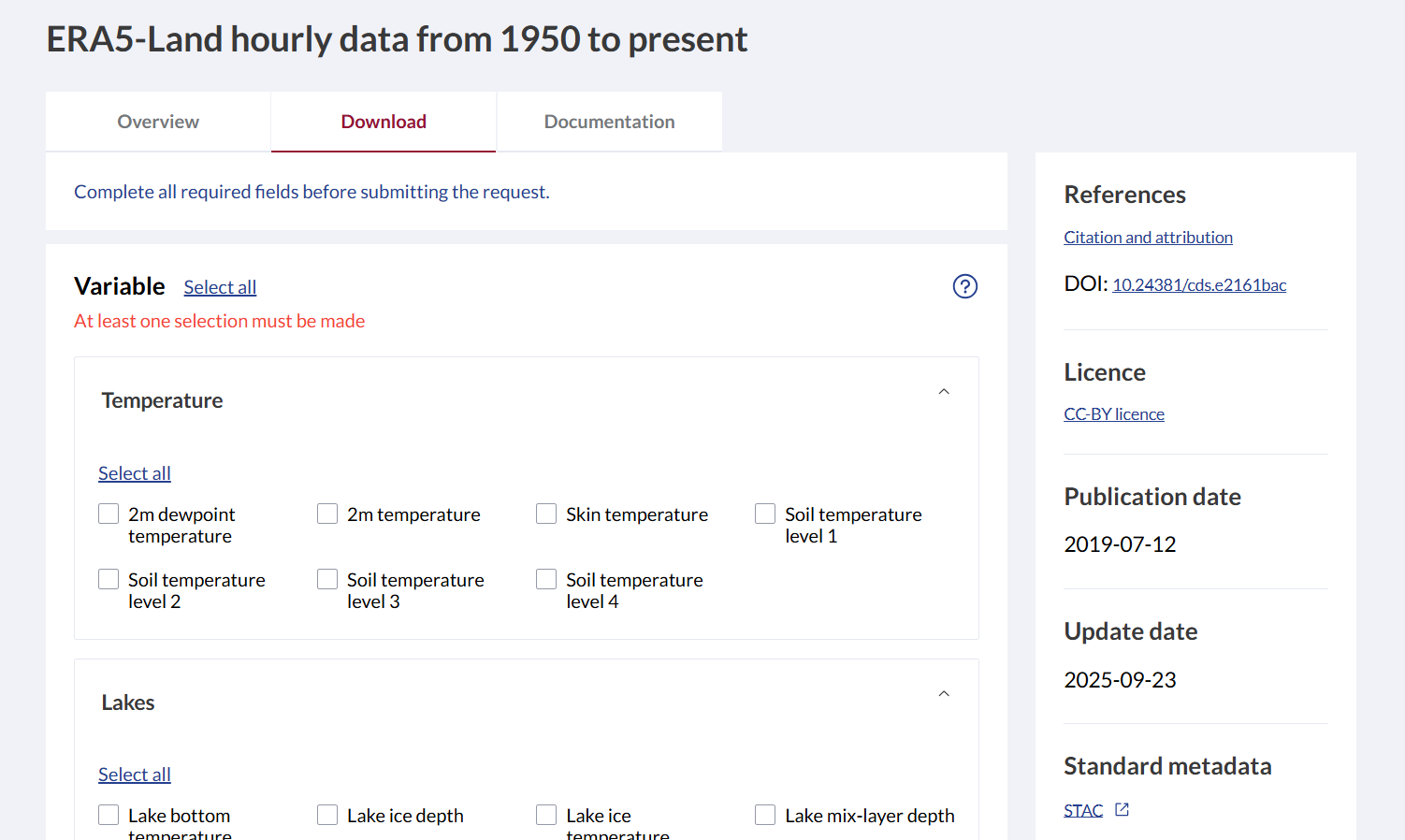
In the Geographical area section, select
Sub-region extractionto select only the area you want to download data for. Note that some datasets may not support this.In the section titled Terms of Use you have to click and log in with your ECMWF user, and manually accept the terms of use for this dataset. This is only needed once for each dataset.
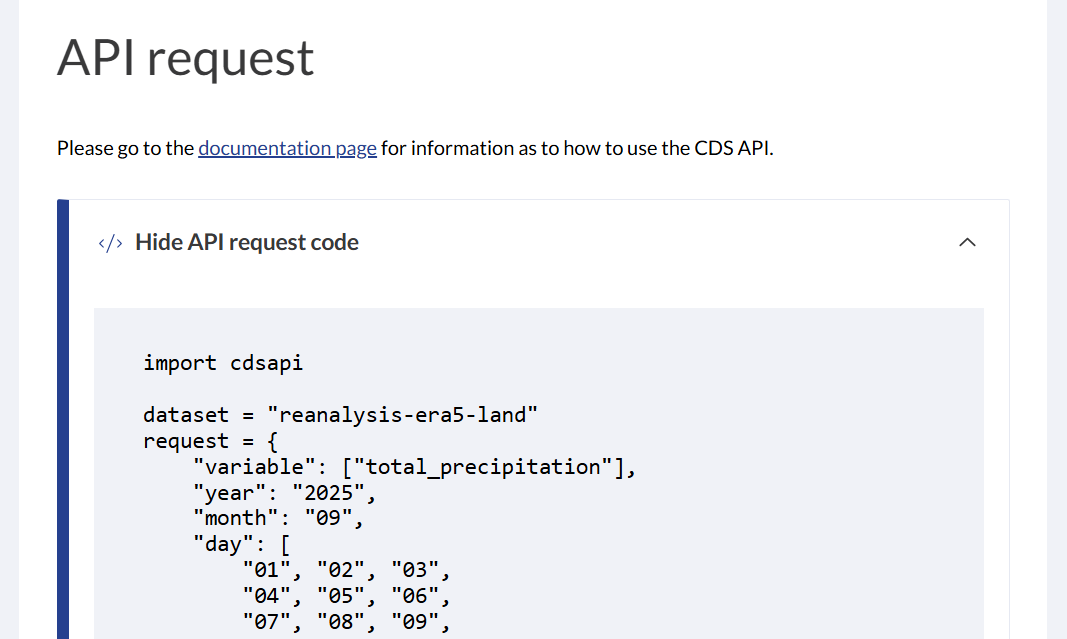
Scroll down to the API Request section, and click “Show API Request Code”. This should show something like this:
 .
.
Since
earthkituses the same backend, we can take information from the above code to run theearthkitfunction in the next step.
Construct the correct parameters for your organisation units
In the previous step, we obtained two important variables that we can copy over to our own script:
dataset: The dataset namerequest: The parameter values
dataset = "reanalysis-era5-land"
request = {
        "variable": ["2m_temperature", "total_precipitation"],
        "year": "2025",
        "month": "01",
        "day": [
            "01", "02", "03",
            "04", "05", "06",
            "07", "08", "09",
            "10", "11", "12",
            "13", "14", "15",
            "16", "17", "18",
            "19", "20", "21",
            "22", "23", "24",
            "25", "26", "27",
            "28", "29", "30",
            "31",
        ],
        "time": [
            "00:00", "01:00", "02:00",
            "03:00", "04:00", "05:00",
            "06:00", "07:00", "08:00",
            "09:00", "10:00", "11:00",
            "12:00", "13:00", "14:00",
            "15:00", "16:00", "17:00",
            "18:00", "19:00", "20:00",
            "21:00", "22:00", "23:00"
        ],
        "data_format": "netcdf",
        "download_format": "unarchived",
        "area": [90, -180, -90, 180]
    }
The area parameter represents the bounding box coordinates you set in the Geographic area section. To set this to the area we are interested in, we load a local GeoJSON file containing the DHIS2 organisation units of Sierra Leone and extract their bounding box coordinates:
org_units = gpd.read_file('../../data/sierra-leone-districts.geojson')
xmin, ymin, xmax, ymax = map(float, org_units.total_bounds)
Next we update the area entry of our request dictionary to use the correct bounding box that we extracted from our organisation units. Note that we re-arrange the coordinate sequence to match what’s expected by the area parameter.
request['area'] = [ymax, xmin, ymin, xmax] # note that the order of the coordinates are importantRunning the earthkit download
Let’s run the earthkit download function with the parameters from the previous step:
data = earthkit.data.from_source("cds",
    dataset,
    **request,
)
2026-01-17 19:51:30,298 INFO [2025-12-11T00:00:00] Please note that a dedicated catalogue entry for this dataset, post-processed and stored in Analysis Ready Cloud Optimized (ARCO) format (Zarr), is available for optimised time-series retrievals (i.e. for retrieving data from selected variables for a single point over an extended period of time in an efficient way). You can discover it [here](https://cds.climate.copernicus.eu/datasets/reanalysis-era5-land-timeseries?tab=overview)
2026-01-17 19:51:30,301 INFO Request ID is c3b15a78-6b6c-4b14-be9e-1dc1b1d90e1e
2026-01-17 19:51:31,487 INFO status has been updated to accepted
2026-01-17 19:51:52,733 INFO status has been updated to running
2026-01-17 19:53:26,396 INFO status has been updated to successful
The logs will indicate that the CDS server accepts and runs the download request. After it finishes, the function returns an earthkit Data object. To more easily work with and inspect the data, we convert it to the more convenient xarray format:
ds = data.to_xarray()
dsTo save the data to disk:
ds.to_netcdf('../../data/local/earthkit-era5-land-download-test.nc')At this point we have downloaded ERA5-Land data for a single month. To download data for a longer period, you would have to loop through the months between your start and end dates, adjust the year and month entries in the request dictionary, make a new earthkit data request for each month, and saving each to disk. Optionally also implement caching to avoid repeated downloads.
Next steps
In this notebook we have shown how to use earthkit to download the hourly ERA5-Land dataset from the Climate Data Store (CDS). This same process can then be repeated for any other dataset found on the catalog of CDS datasets.
Compared to the approach in the ERA5-Land guide, which uses convenience functions from the dhis2eo library, this approach offers greater flexibility and transparency, at the cost of some additional configuration and more hands-on interaction with the CDS interface.
Which approach to use depends on your use case and how much control you need over data selection and processing.